
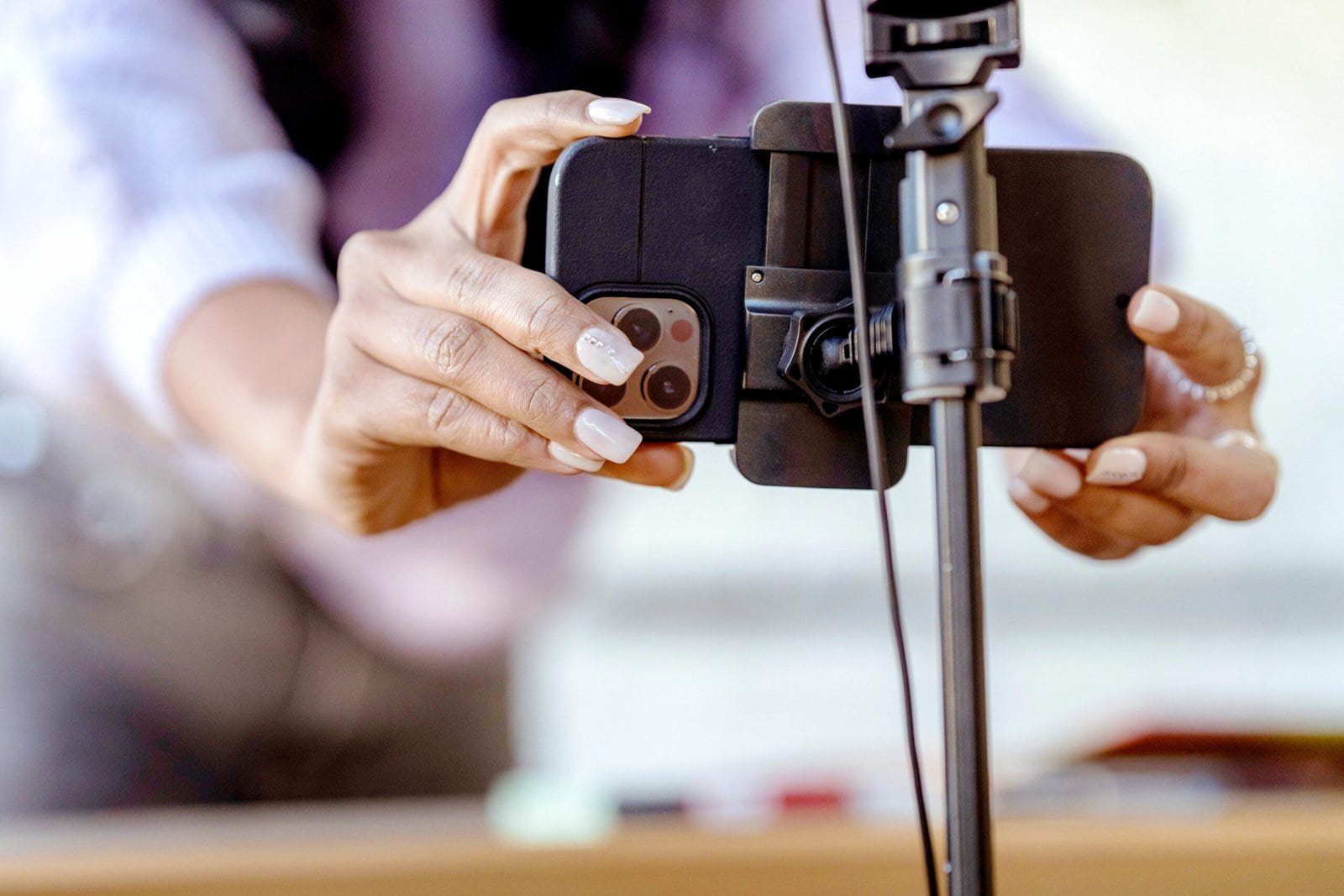
Okay so you know you need video content and photos for your social media. You pull out your phone for a quick photo, then realise you need different positioning for the video, then spend ten minutes adjusting and readjusting before you’ve captured anything useful. For small business owners and bloggers creating content on their own, an easy setup for both, is a huge time saver.
Most social media content can be captured with a single phone setup, one configuration that handles both photos and short video without you needing to start from scratch between formats. It takes a little upfront thought, but once you’ve got a setup that works for your space, you can sit down, press record, and move through content sessions in a fraction of the time.
This post is about building that setup. We’ll cover the essential gear (none of it expensive), how to position everything for both video and photo capture, the settings that matter for each format, and a simple workflow for moving between the two without losing your light or your momentum. There are also placeholder affiliate links throughout, I’ll update these with specific recommendations as I test and approve each one.
Whether you’re filming a quick Instagram Reel, shooting product photos for your website, or batching a week’s worth of content in a single afternoon, the same core setup applies. Get it right once, and content creation gets a lot less complicated.
IN THIS GUIDE
Why One Setup Makes Such a Difference
Most people treat video and photos as completely separate tasks with different gear, different lighting, and different positioning. For a professional shoot, that might make sense. But for regular social media content, switching setups between formats costs you time, breaks your flow, and often means you end up skipping one format entirely because it feels like too much work.
A unified setup works because the fundamentals of good video and good photos are almost identical: consistent light, a stable camera, a clean background, and intentional framing. The adjustments between formats are small, mostly orientation, duration, and a few settings. The setup itself doesn’t need to change.
The practical benefit is significant. Once your phone is mounted, your light is set, and your background is clear, you can move between a product photo, a quick talking-head video, and a flat lay in the same session without rebuilding anything. That’s what batching content efficiently actually looks like, not just doing more in one sitting, but removing the friction between formats so you don’t lose momentum.
The Essential Gear for a One-Setup System
You don’t need much. These are the four items that make the biggest difference, in rough order of priority:
A Tripod or Phone Mount
This is the single most important piece of equipment for a consistent setup. A stable, adjustable mount means your phone stays exactly where you put it, no wobble in video, no blur in photos, no holding your breath while you tap the shutter.
For most small business content, a small flexible tripod (often called a gorillapod-style) or a desktop phone mount gives you the flexibility to position your phone at different heights and angles without needing a full-sized tripod. A floor-standing tripod is worth having if you regularly film talking-head video or shoot from further away, but for a compact desk or table setup, a smaller mount does the job well.
My recommendations for tripods and phone mounts: Amazon, B&H Photo – coming soon!
What to look for: adjustable height, a standard tripod thread or universal phone clip, and enough stability that the setup doesn’t shift between shots.
A Ring Light or Small Softbox
Your phone’s camera handles light remarkably well in good conditions, but if you’re creating content indoors, especially in the evenings, you need a dedicated light source to get consistent results. Natural light changes throughout the day and disappears after dark. An artificial light source gives you control over your shoot regardless of the time or the weather outside.
A ring light is the most common choice for talking-head video and close-up product shots. It’s compact, easy to position, and creates a soft, even light with a characteristic circular catchlight in the eyes. A small softbox gives you more flexibility with light direction and tends to look more natural for product photography and flat lays.
My recommendations for ring lights and softboxes: Amazon, B&H Photo – coming soon!
A Backdrop or Background Surface
A clean, consistent background transforms the overall look of your content. A single backdrop or a consistent shooting surface does more for visual brand consistency than almost any other investment.
For video, a wall in your home or office works perfectly well, as long as it’s tidy and relatively neutral. A fabric backdrop stand gives you more flexibility and lets you change colours to suit different content types. For product photography and flat lays, a flat shooting surface like a wooden board, marble-effect vinyl sheet, or simply a sheet of white card, is all you need.
Specific inspiration and recommendations for backdrops, vinyl surfaces, and poster boards – coming soon!
A Remote Shutter or Bluetooth Controller
If you’re regularly shooting solo, including yourself in video or photos then a wireless remote shutter is a small but genuinely useful tool. It lets you trigger your phone’s camera without touching the screen or stretching for the volume button, which means less blur, more flexibility in positioning, and the ability to shoot from further away.
Most work via Bluetooth and are compatible with both iPhone and Android. They’re inexpensive and often overlooked.
My recommendations for Bluetooth remote shutters – coming soon!
How to Position Your Setup for Both Video and Photos
The key to a unified setup is thinking about the full range of shots you’ll need before you start positioning anything. Run through this checklist before your first content session:
What am I capturing today?
- Talking-head or face-to-camera video
- Product photos (flat lay or upright)
- Behind-the-scenes or workspace shots
- Demonstration or tutorial content (hands in shot)
What orientation do I need?
- Vertical (portrait): Stories, Reels, TikTok
- Horizontal (landscape): YouTube, LinkedIn, website hero images
- Square: some Instagram grid posts
Most setups can accommodate both vertical and horizontal shooting by simply rotating the phone in its mount, so long as the mount allows this. This is worth checking before you buy.
Talking-Head Video Setup
For face-to-camera video, position your phone at or just above eye level. Looking slightly up at a camera is more flattering than looking straight into it or very slightly down. The most common mistake is placing the phone on a desk and shooting upward, this angle is unflattering and tends to show areas of the background that weren’t meant to be in view.
Place your light source slightly off to one side and slightly in front of you, at roughly eye level. This creates a natural-looking light with soft shadows. If you’re using a ring light, position it directly in front of you, centred on your face, for even, flattering coverage.
Leave some breathing room above your head in frame, not too much, but enough that you don’t look like you’re being cut off. Frame yourself in the centre-to-lower-centre of the screen for most talking-head formats.
Tip: an easy reference is to think of half a head, when checking how much space to have above your face in the frame.
Product Photography Setup
For product photos, you’ll typically want to shoot from directly above (flat lay) or from a slight angle (angled product shot). This means repositioning your phone mount from eye level, either overhead using a flexible arm, or angled down from a height.
The flat lay setup is the same for both photos and short video demonstrations: phone mounted overhead, light source angled to one side, clean surface below. Once this is set, you can alternate between still product photos and short video content (like an unboxing or assembly demonstration) without moving anything.
For an angled product shot, position your phone at roughly 30–45 degrees to the surface, with your product centred in the frame. Good window light or a softbox angled from the side works better here than a ring light, which can create reflections on product surfaces.
Tutorial and Demonstration Content
If you regularly create tutorial content, showing your hands doing something then you need to think carefully about positioning. An overhead setup works well for most demonstrations and is the same configuration as a flat lay, so you can batch both in the same session.
For over-the-shoulder or angled demonstrations, you’ll need someone to hold the phone or a more flexible mount. A gorillapod-style tripod that can be attached to furniture or positioned at odd angles is genuinely useful here.
Settings for Video vs Photos: What to Change and What to Leave
The settings you use for video and photos are similar, but there are a few important differences.
For Social Media Video
Resolution and frame rate:
For most social media platforms, 1080×1920 at 30fps is a safe, reliable default. The files are easy to edit and export, and the quality holds up well after the platforms compress it. If you’re creating content for YouTube and have storage to spare, 4K at 30fps gives you more flexibility in post-production. Reserve 60fps for slow-motion capability, since it creates larger files that will eat through your phone storage.
Stabilization:
Turn on your phone’s built-in stabilisation (often called Cinematic or Action mode, depending on your device) for handheld video. For mounted video, you don’t need it and it can actually introduce subtle unwanted movement on some phones.
Exposure:
Lock your exposure before recording. Tap and hold your subject on screen to lock both focus and exposure. This prevents the camera from automatically brightening or darkening mid-video, which looks unprofessional and is hard to fix in editing.
Duration:
For Reels and TikToks, aim for content that lands in the 15–60 second range. Record more than you need, you can always cut it down. Having extra footage is almost always better than running short.
2026 current trends are 7-30 seconds for Instagram Reels and 21-34 seconds for TikTok.
For Social Media Photos
Grid lines:
Keep these on. They’re the fastest way to compose intentionally.
HDR:
Useful for product shots near a window, where you’re balancing bright and dark areas. Turn it on for those situations, leave it at auto otherwise.
Portrait mode:
Great for single-product close-ups and headshots, but check the edges carefully on complex shapes. It works best with a clear distinction between subject and background.
Burst mode:
Useful for anything that involves movement, demonstrations with your hands, ie a product being used, or anything where timing matters. Hold the shutter to activate it on most phones.
A Simple Content Session Workflow
Here’s a workflow that lets you move through a content session efficiently with one setup. The goal is to do all your setup once, then capture as much content as possible before you pack anything away.
Before you start:
- Set up your phone, tripod, and light in your chosen location
- Set your background: clear the space or put up your backdrop
- Check your light: is it consistent and flattering? Is there any unwanted glare or shadow?
- Do a test shot and a test video clip: check exposure, framing, and focus before you begin in earnest
- Plan your shot list for the session: know what you’re capturing before you start shooting
During the session:
- Start with talking-head or face-to-camera video while you’re fresh and your energy is high
- Move to product content next, reposition the phone for overhead or angled shots as needed
- Capture any flat lay content while your surface is set up
- Finish with behind-the-scenes or bonus content, this is often the easiest to capture and a good way to end a session
After the session:
- Back up everything to your cloud storage or a folder on your computer (before you edit)
- Do a quick cull: delete anything that’s clearly unusable, keep everything else for now
- Edit in batches by content type, all photos together, then all video clips
- Export and schedule when you’re happy with each batch
This workflow is deliberately flexible. You’ll adapt it to your space, your content formats, and your schedule. But having a sequence, even a rough one, removes the decision fatigue that makes content sessions feel harder than they need to be.
More on batching your business content here.
One Setup, Consistently Used, Beats a Complicated One
The best content creation setup is the one you’ll actually use. A ring light that stays in a box because it takes too long to set up is worth nothing. A flexible tripod that lives on your desk and takes thirty seconds to position is worth a great deal.
When you’re evaluating gear, the question to ask isn’t “is this the best option?” It’s “will I actually use this, regularly, in my space?” The answer to that question should drive every decision.
Start with what you have. A windowsill, a stack of books to prop your phone on, and good natural light will get you further than a complicated setup you have to assemble every time. Add gear gradually, as you identify specific friction points in your current process. That’s how a content creation workflow actually gets better, not all at once, but incrementally, one real problem solved at a time.
Next up: How to Use Natural Light vs Artificial Light for Product Photography
Want to go deeper on building your content creation space? Post 20 in this series covers the complete home content creation setup: phone, lighting, editing, and everything in between – Coming soon!
If you’re still learning your photography fundamentals, my complete guide to phone photography for bloggers and small business owners covers everything you need in one place.